
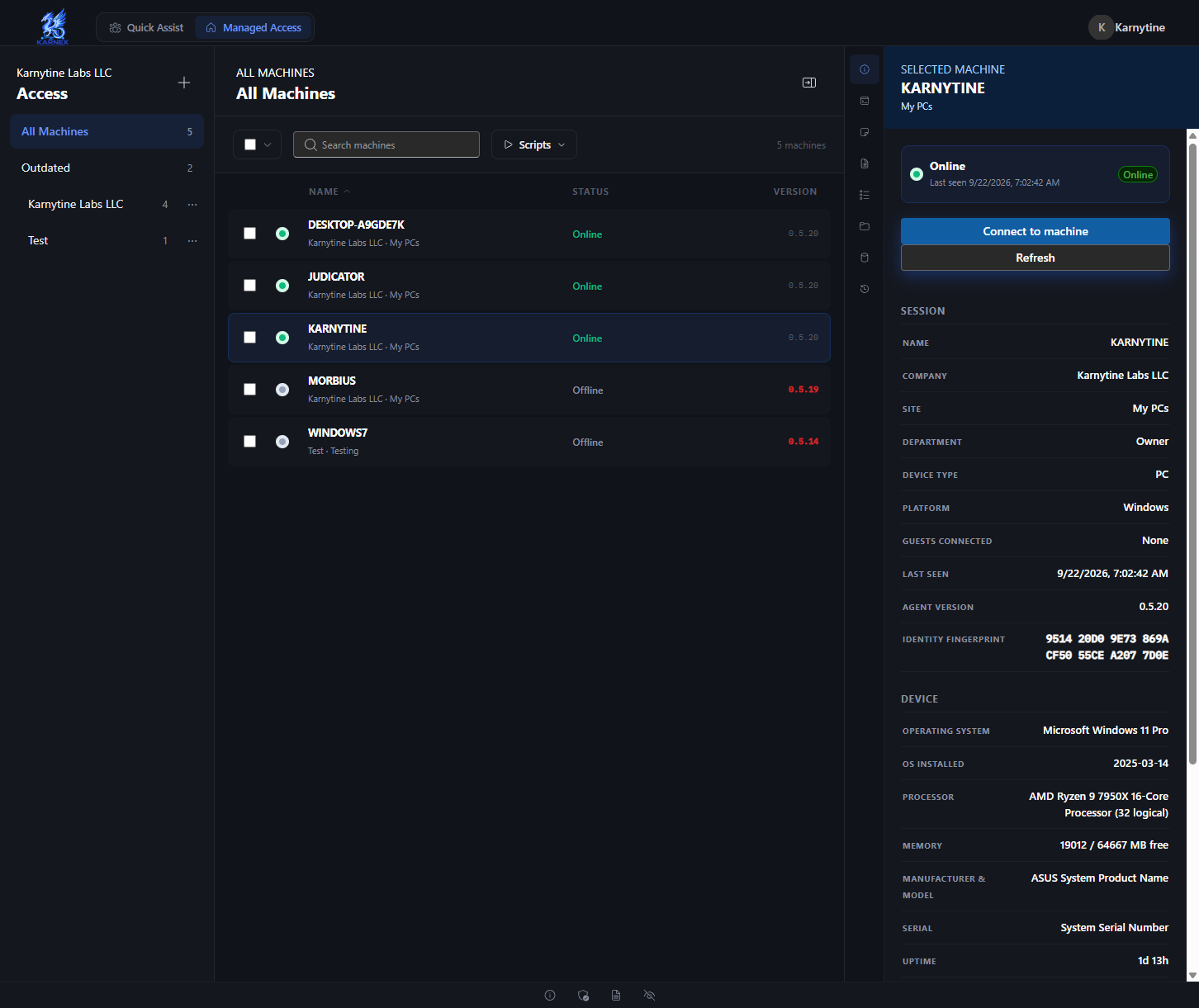
The Karnex console: a machine's live status, hardware and a one-click connect, at a glance.
Two ways to connect
Quick Assist
Send a one-time link, the other person runs it, you're in. Built for a single support session — it offers to remove itself when the session ends.
Managed Access
A persistent agent for machines you look after regularly: your own fleet, a client's office, a whole organization. Stays installed until you decommission it.
What Karnex does
- Remote control: full screen share with mouse and keyboard input, multi-monitor support, and clipboard sync between operator and machine.
- Everything a support session needs: file transfer, in-session chat, multi-device desktop audio, session recording, command execution with a real stdout/stderr/exit-code timeline, and Wake-on-LAN.
- A real fleet console: searchable machine list, site and group organization, scripts, and an audit log of who connected to what and when.
- Multi-tenant by design: organizations, roles (Org Admin, Admin, Technician), per-permission grants, invite links, branded subdomains, and 2FA with org-wide enforcement.
- An Android companion app for viewing and controlling machines from a phone or tablet, including a tablet split-view layout.
How sessions are protected
Every remote session is end-to-end encrypted between the operator and the machine being controlled — the frames, input and clipboard traffic in a session are never readable in transit. API keys and webhooks are available for automation, and every command or session is written to an exportable audit log.
Availability
Karnex is a live, hosted console at karnex.org — no local install to try it, just sign in and build a connection client for the machines you want to reach. For access or questions, contact support@karnytine.com.